Lesson 18 of 23
The pattern plan and its colour key
A numbered, lettered plan of the whole panel with its leads at their came's width, ready to print.
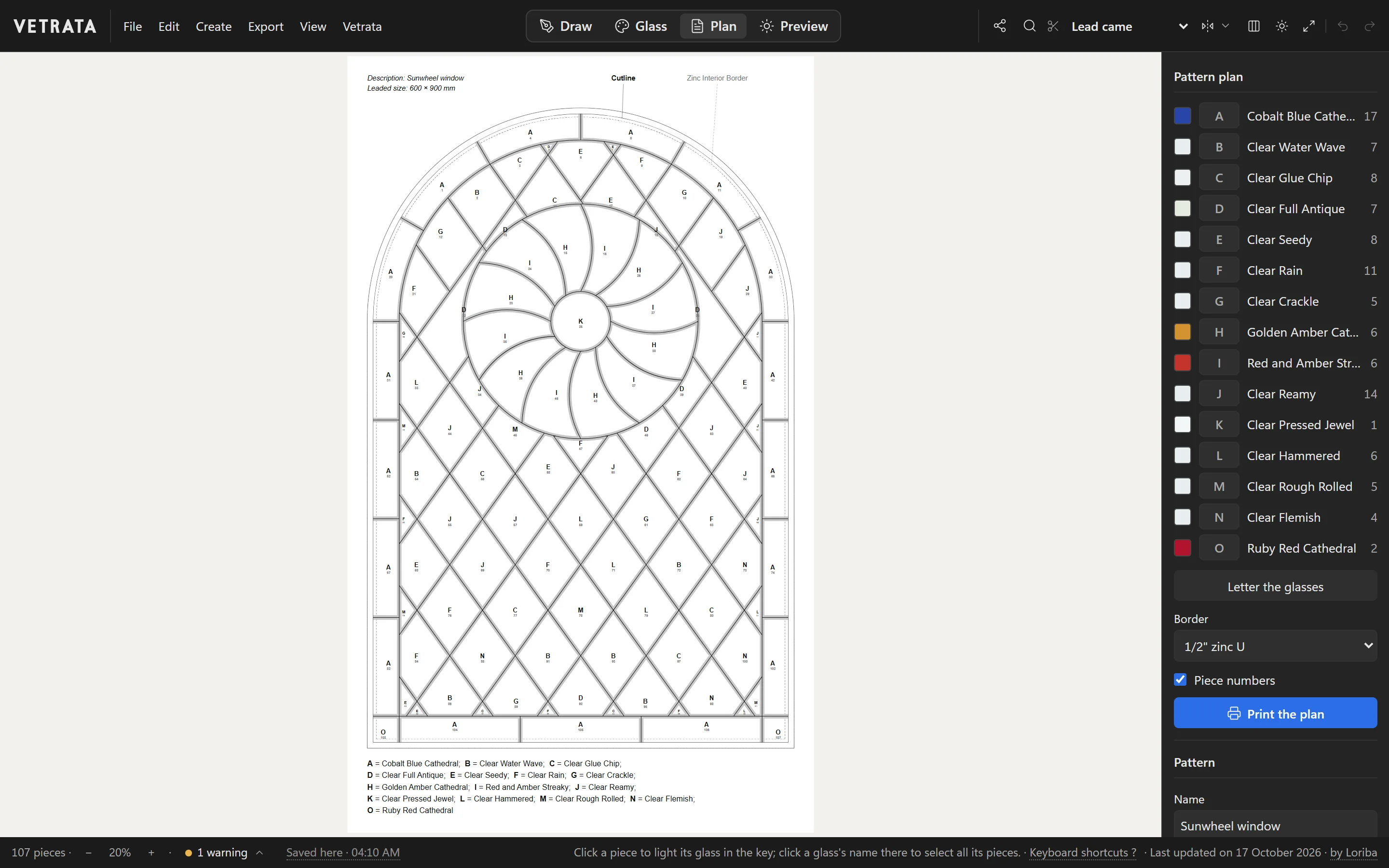
The plan is the drawing you work from at the bench: every piece numbered, every glass lettered, and the leads drawn the width of their came.
-
1
Open the Plan tab
Click Plan. The pattern is drawn on paper with a letter in every piece and the colour key under it.
-
2
Letter the glasses
The key on the right lists every glass with its letter and its count of pieces. Letters shown grey are not fixed yet: Letter the glasses keeps them, so they do not move when more glass is added.
-
3
Find pieces by glass
Click a piece to light its glass in the key. Click a glass's name to select every piece cut from it.
-
4
Border and numbers
Choose the came round the outside under Border. Untick Piece numbers for a plan with letters only.
-
5
Print it
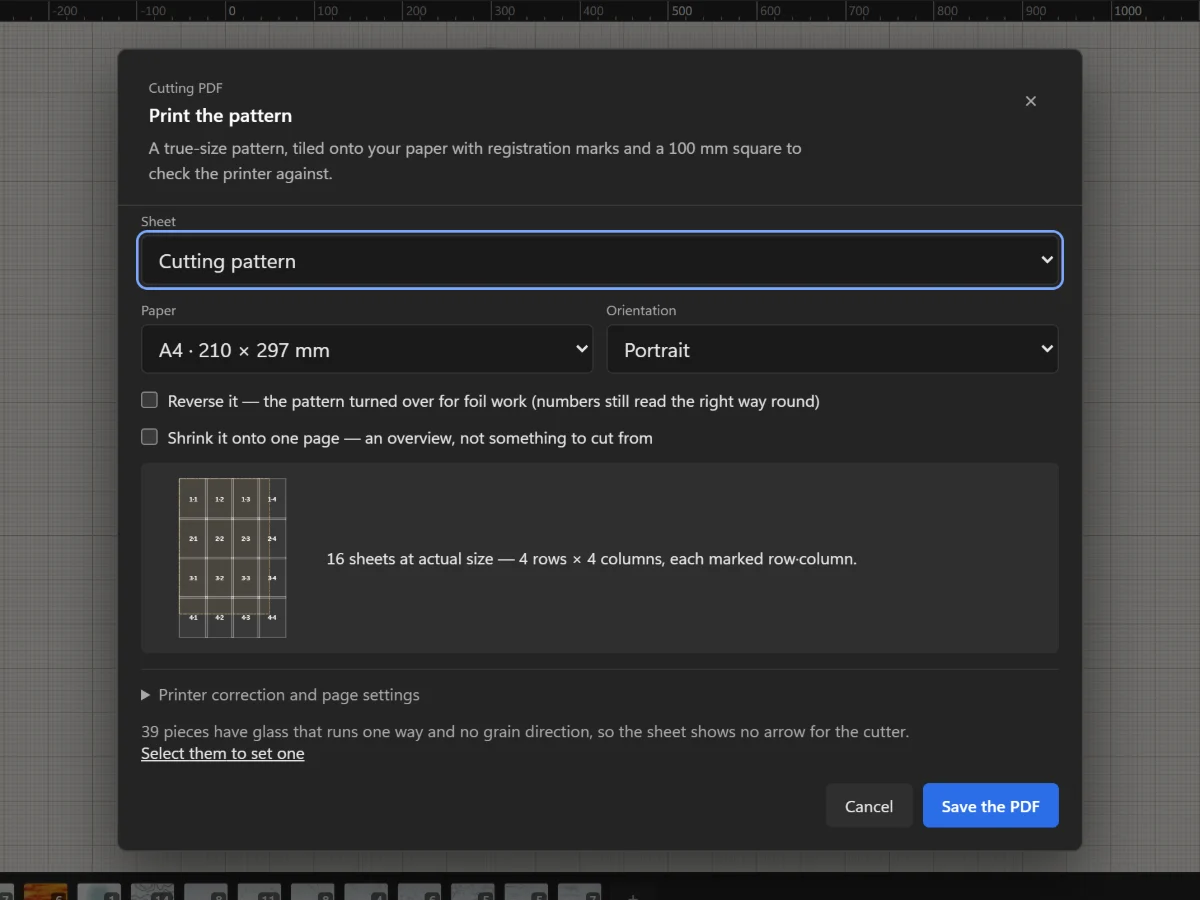
Click Print the plan for a PDF of the plan, sized to your paper.
 Keep colourways side by side
More in Plan and print
 Glass
Choose from the glass library
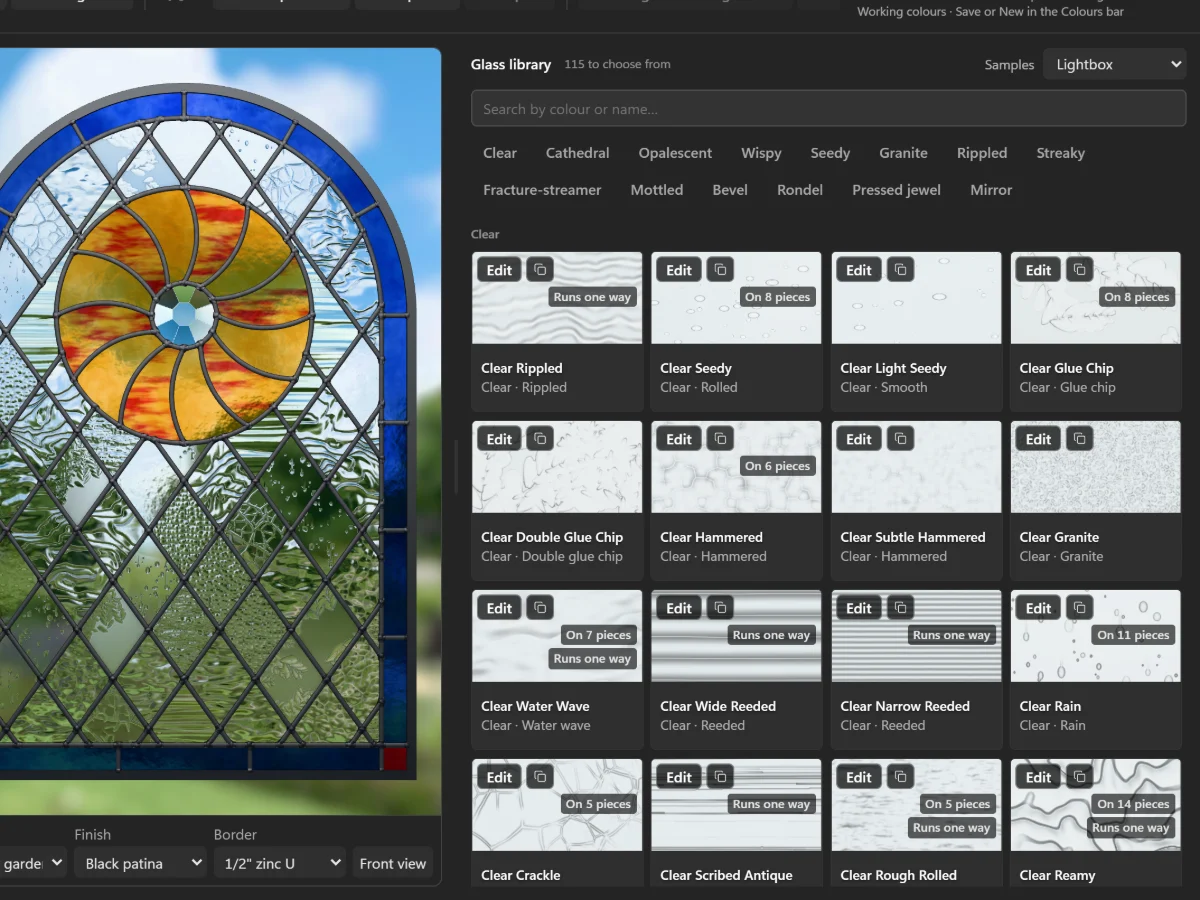
Over a hundred glasses, from clear textures to streaky, fracture-streamer and pressed jewels, seen in light.
5 steps · 2 min
Glass
Choose from the glass library
Over a hundred glasses, from clear textures to streaky, fracture-streamer and pressed jewels, seen in light.
5 steps · 2 min
 Plan and print
Check your printer with the 100 mm square
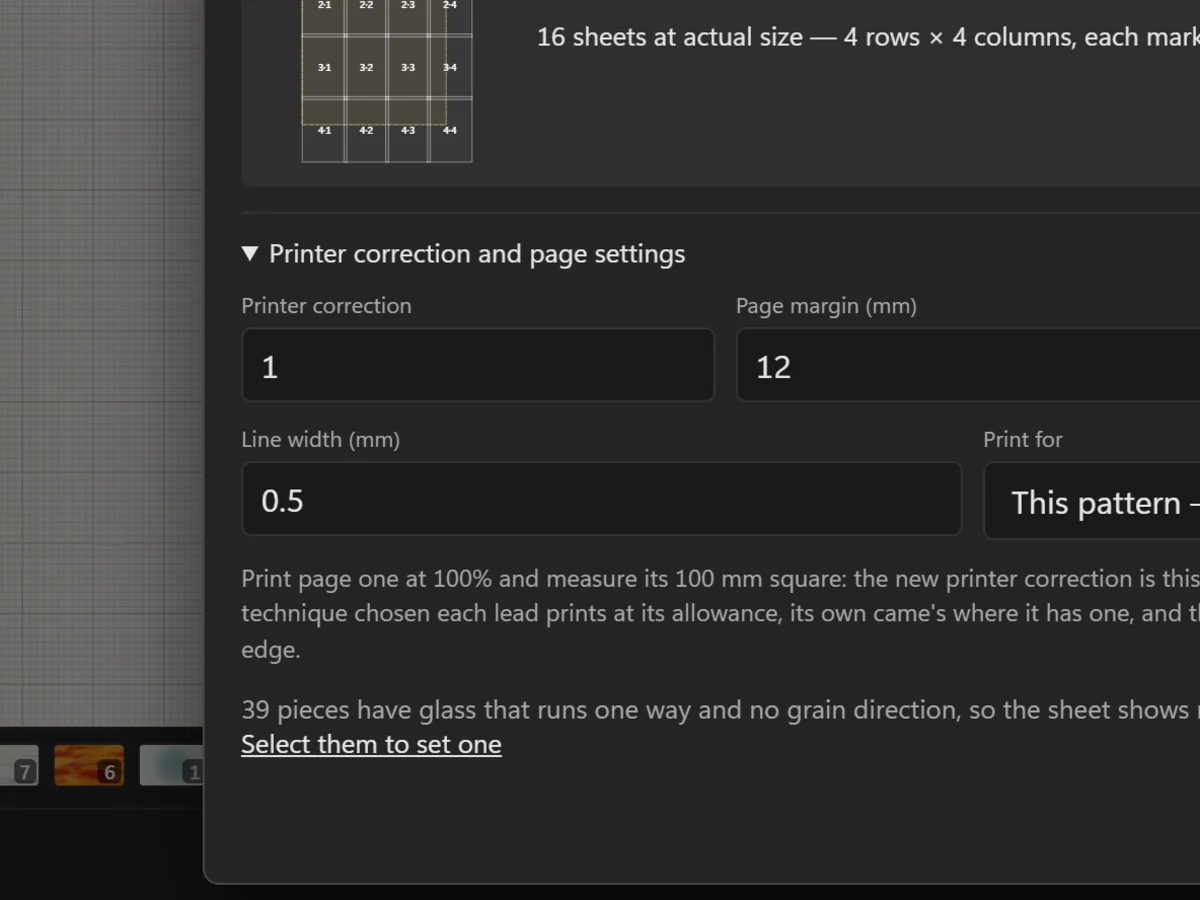
Measure the square on page one, and correct a printer that prints a little large or small.
5 steps · 2 min
Plan and print
Check your printer with the 100 mm square
Measure the square on page one, and correct a printer that prints a little large or small.
5 steps · 2 min
 Plan and print
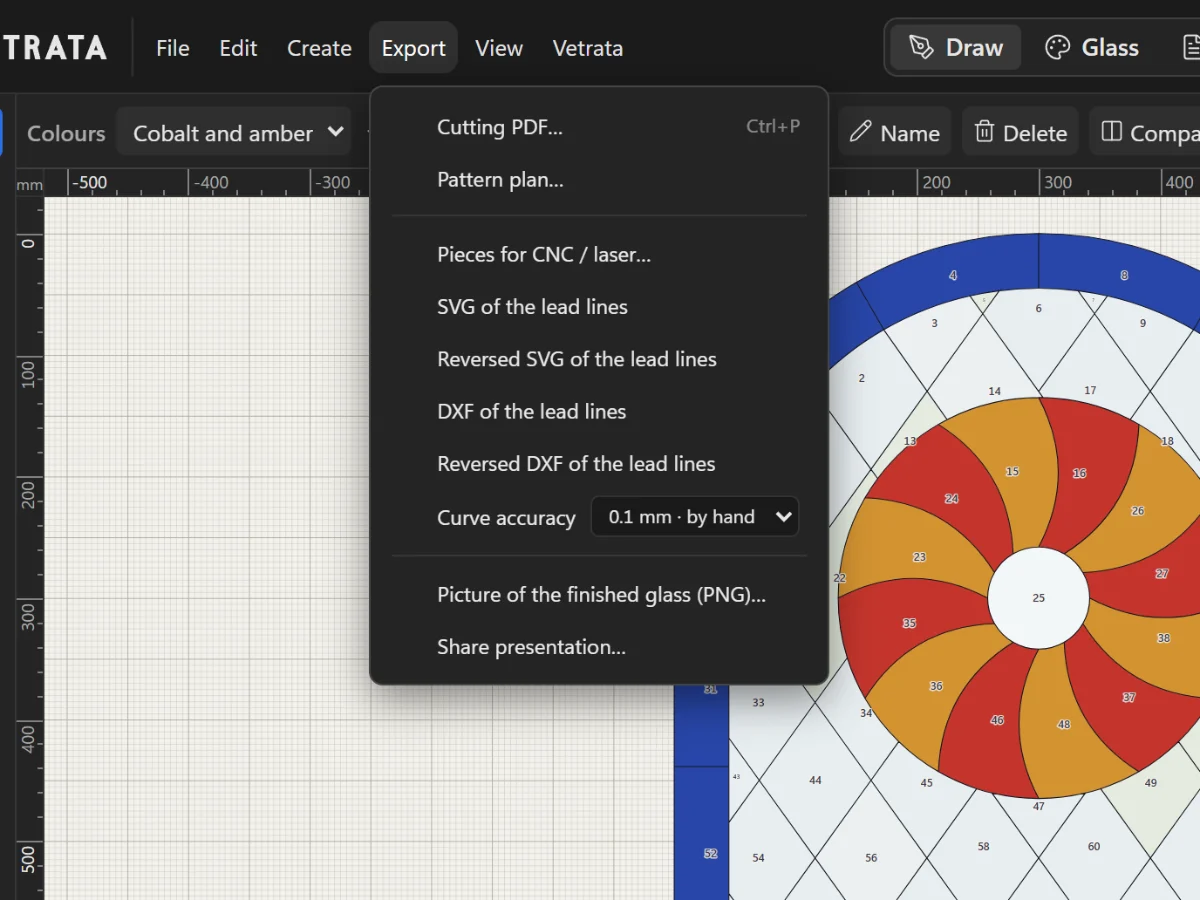
SVG, DXF and pieces for a CNC or laser
Export the lead lines or every piece on its own for a cutting machine, a laser or another program.
3 steps · 2 min
Plan and print
SVG, DXF and pieces for a CNC or laser
Export the lead lines or every piece on its own for a cutting machine, a laser or another program.
3 steps · 2 min